Made for Apple Intelligence

Your bills. Your documents. Your device.

Track subscriptions, scan bills, and search your finances — all powered by on-device AI. No bank login required.

  • On-device AI
  • No bank login
  • iPhone & iPad

iPhone · iPad

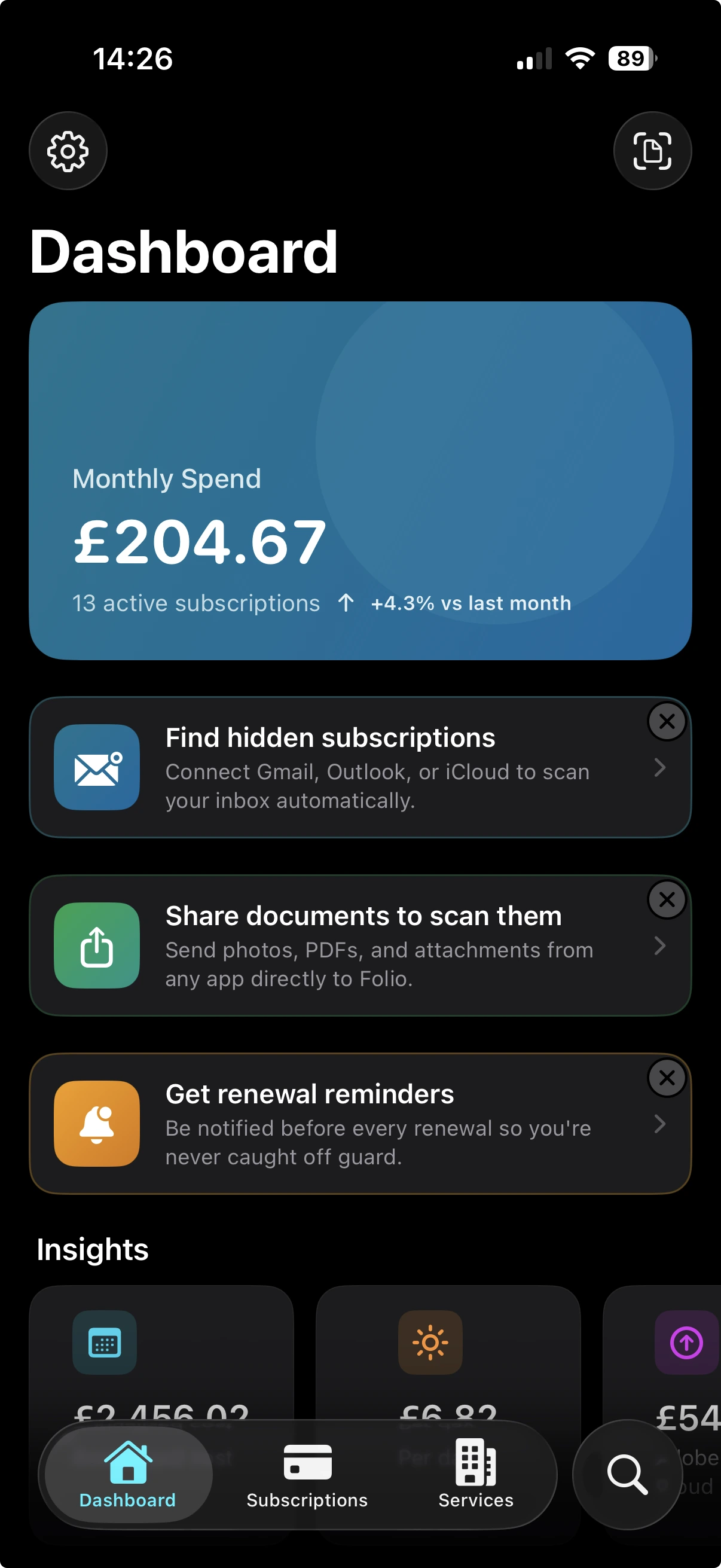
Folio iPhone app showing the home screen with tracked subscriptions and monthly spending

Folio is for…

  • Privacy-aware professionals

    You won't connect your bank to a third-party app, and you'd rather a server didn't read your invoices either.

  • Freelancers and sole traders

    Keep client invoices, software subscriptions, and recurring costs in one place — ready for tax time.

  • Small households

    Track shared subscriptions and household bills across one calm dashboard you both can read.

  • Apple Intelligence early adopters

    See on-device AI doing useful work — extracting, sorting, and summarising bills with no round trip to a server.

Everything you need, in one app

Folio brings together subscription tracking, document scanning, and intelligent search — so your financial life finally makes sense.

Scan any document

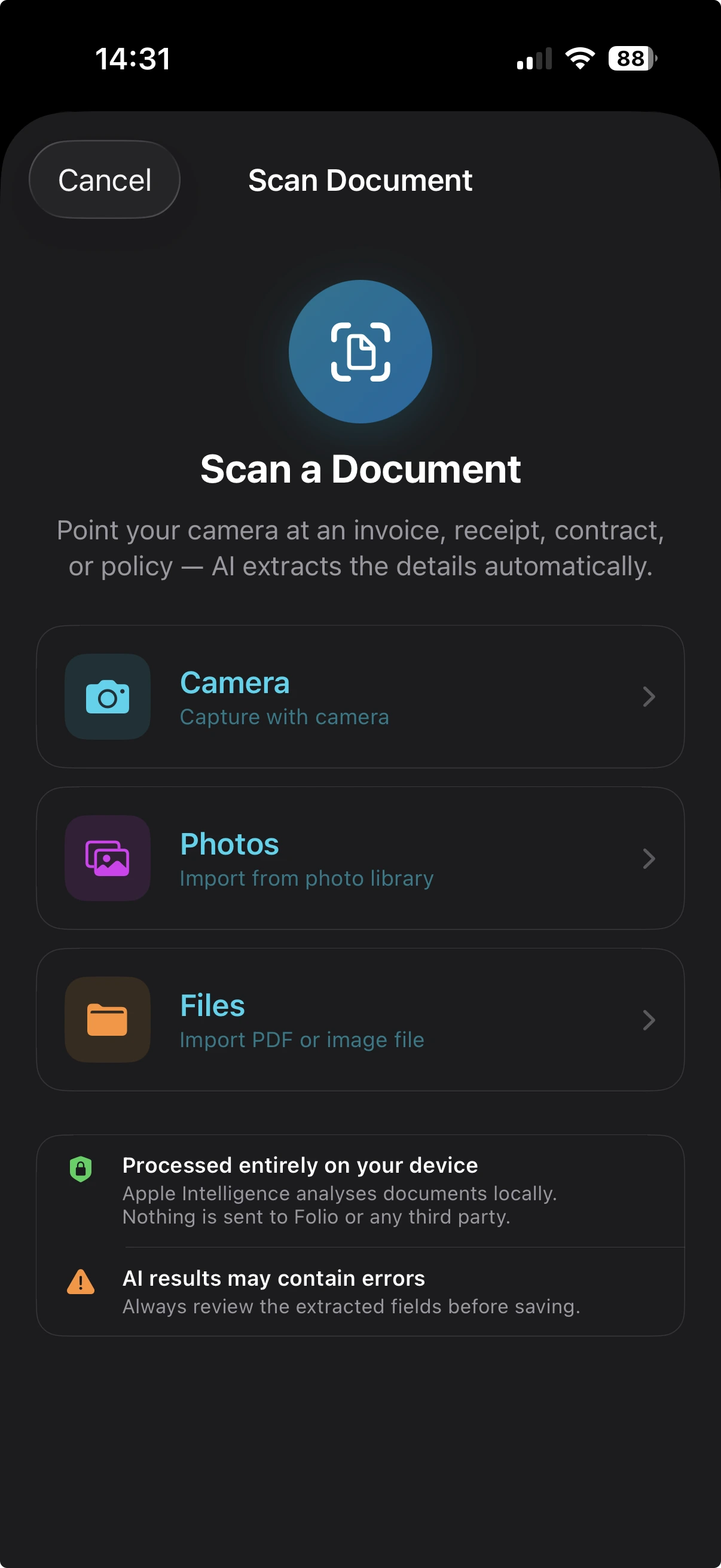
Point the camera at an invoice, receipt, contract, or policy. Folio reads it on-device, extracts the provider, amount, date, and category, and files it where it belongs — no typing required.

  • VisionKit edge detection + multi-page
  • Foundation Models extract structured data
  • Original scan stored on your device
Folio scanning a paper invoice and extracting billing details

Track every subscription

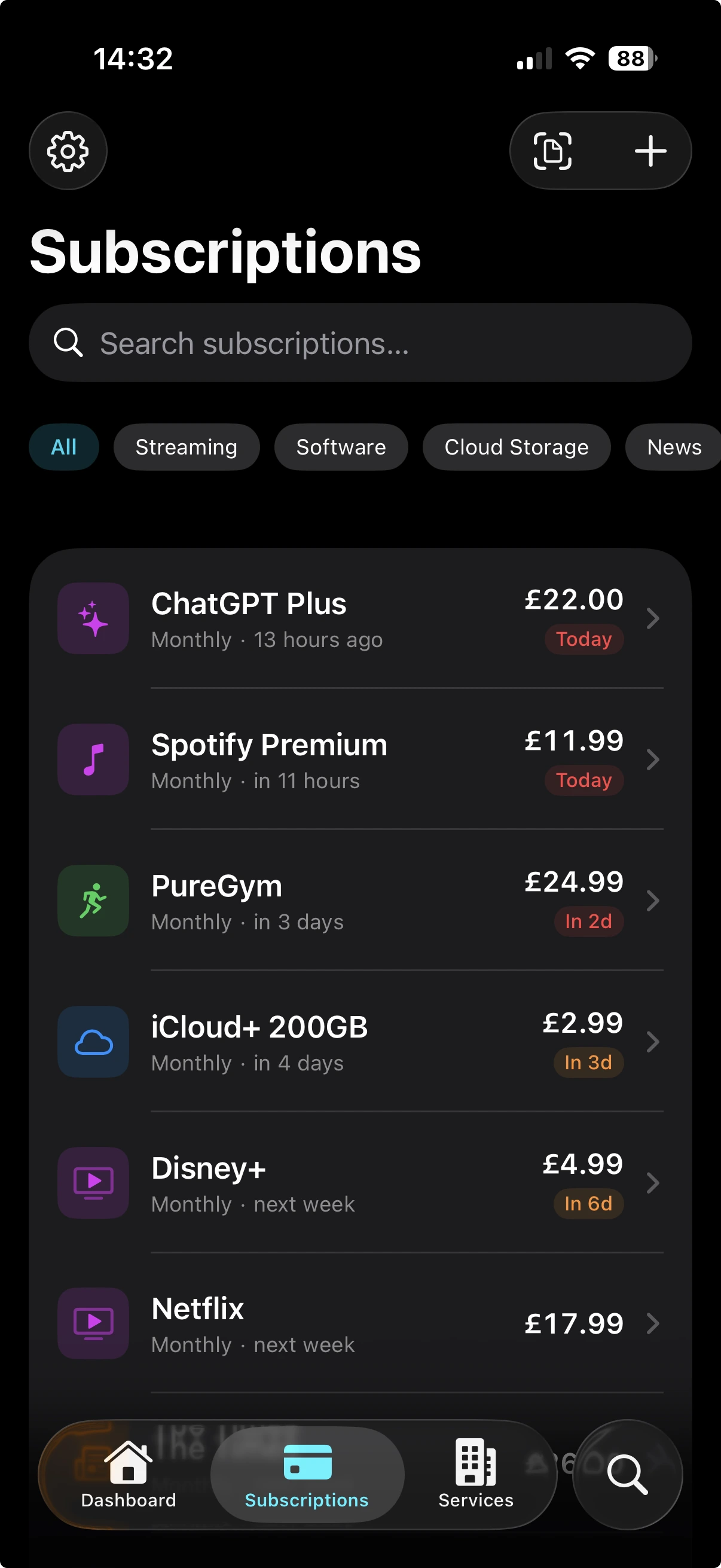
From streaming and software to broadband and insurance. Each subscription gets its renewal date, billing cycle, price history, and the documents that belong to it.

  • Auto-calculated next renewal
  • Per-cycle price history
  • Linked invoices, contracts, and receipts
Folio dashboard showing active subscriptions with renewal timeline

Everything, organised

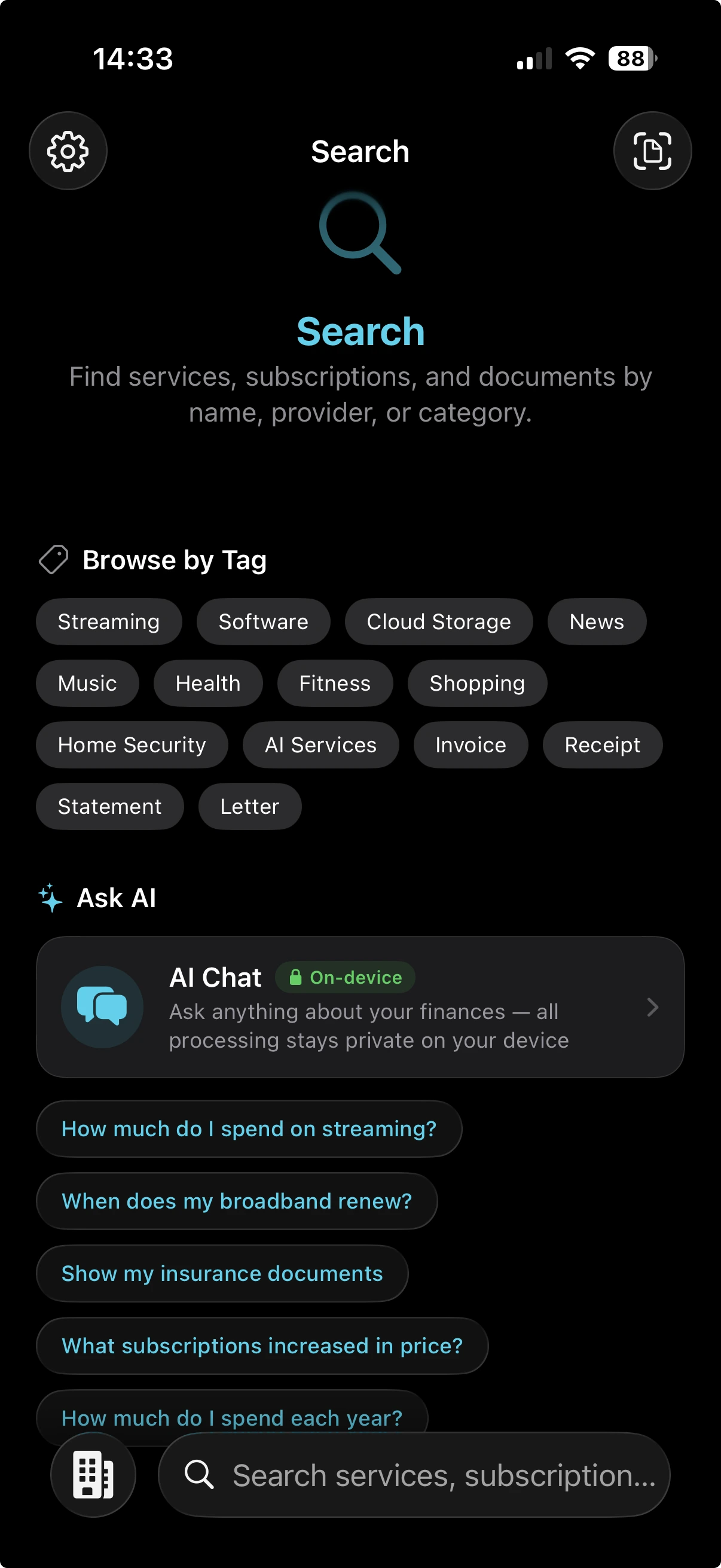
Documents grouped by provider. Subscriptions linked to the bills that prove them. Spending broken down by category. A quiet, useful order — without the spreadsheet.

  • Smart folders by category
  • Per-provider grouping
  • Searchable on-device
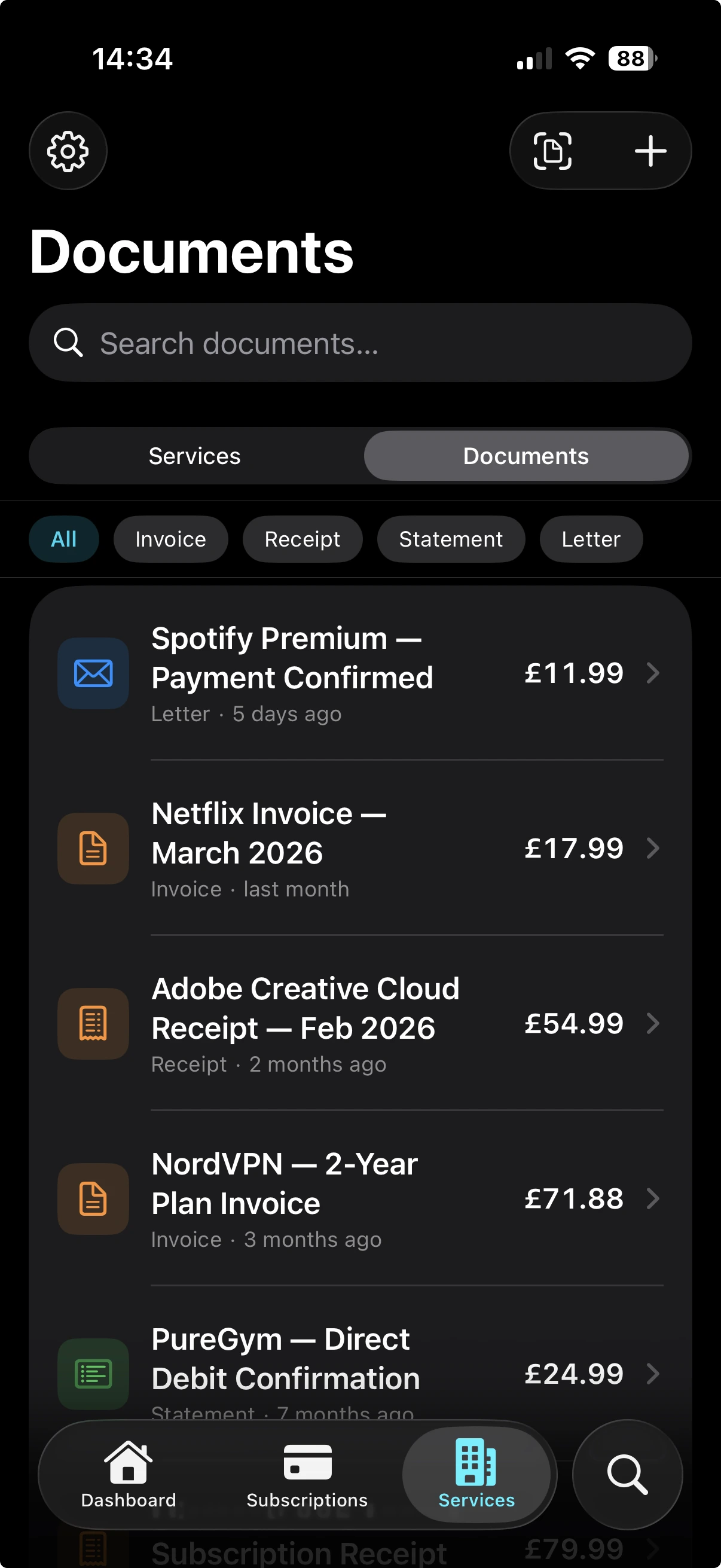
Folio document library with smart folders and auto-tagged documents

Spot price increases

Scan a new invoice and Folio compares the amount to the last one on file. If the price has changed, the price history updates automatically — no spreadsheets, no bank-feed digging, just a clear record of every increase across every provider.

  • Per-subscription price history
  • Inflation that creeps up, made visible
  • Built from your invoices, not your bank feed
Apple Intelligence, built in

Powerful AI that never leaves your device

100% on-device · No data leaves your device

Smart extraction

Automatically pulls provider name, amount, date, and category from any scanned document.

Smart categorisation

Documents automatically sorted into the right folders with intelligent tagging.

Spending insights

Monthly summaries and spending breakdowns generated entirely on your device.

Renewal reminders

Local notifications a few days before each renewal — colour-coded by urgency in the dashboard.

Other apps ask for your bank login. Folio doesn't even have a server.

Private, by design

Folio's AI runs on your iPhone or iPad — not on someone else's server. Here is what that actually looks like in the architecture.

  • AI runs on your device

    Apple Foundation Models execute on the device's Neural Engine — the same on-device AI infrastructure that powers Apple Intelligence.

    Your documents and queries never leave the device, even when you are offline.

  • There is no server to breach

    Filtercode LTD operates no backend for the app. There is no API call when you scan a bill or run a search.

    No central pile of customer data exists for anyone — including us — to lose, hand over, or repurpose.

  • No bank connection, ever

    Folio does not use Open Banking, does not integrate with bank APIs, and never asks for your account credentials.

    You do not have to trust a third party with your bank login to see what you are spending.

  • Sync via your own iCloud

    Optional sync uses your private CloudKit container — Apple's own end-to-end-encrypted storage.

    Your data lives in your iCloud account. We never see it; we have nothing to see.

What Folio does not do

  • Connect to your bank account
  • Use Open Banking APIs
  • Send documents or OCR text to a remote server
  • Use cloud-based AI (no OpenAI, Gemini, or Claude on a backend)
  • Require an email address or account creation
  • Sell, share, or rent your data to anyone

App Store privacy label

Data Not Collected Standard use, with email scanning off.
Data Not Linked to You With email scanning enabled — OAuth tokens stay in your device's Keychain.
Read the full Privacy Policy →

Why Folio is different

Most apps in this space either ask for your bank login or run their AI in the cloud. Folio does neither.

App Approach How Folio differs
Subtrack Manual subscription tracking, no AI Folio adds document scanning, AI extraction, and price history
Bobby Manual tracking with a clean UI Folio adds document linking, AI, and renewal reminders
Revolut Bank-connected subscription detection Folio works without a bank login — privacy-first by default
Monzo Bank-account-based recurring-payment view Folio reads your documents, not your transactions
Emma Bank-connected aggregation across accounts Folio does not aggregate any account — it organises your own records
Copilot US-focused, bank-connected Folio is UK-native, no bank connection required
Scanner Pro · Adobe Scan Document scanning with no financial logic Folio adds subscription tracking and price history on top of scanning

Beyond the basics

The bits that don't need a marquee, but you'll quietly come to rely on.

  • Spending overview

    A single dashboard with monthly spend, category breakdown, upcoming renewals, and the latest insight.

  • Per-supplier view

    Every invoice, contract, and subscription with the same provider sits together in one place.

  • iCloud sync

    Subscriptions, documents, and settings stay current across iPhone and iPad through your private iCloud.

  • Export to CSV or PDF

    Take your data anywhere — for an accountant, a spreadsheet, or your own records. Generated on-device.

  • Home Screen widgets

    Three widgets: total spend, the next few renewals, and a one-tap shortcut to the scanner.

  • Biometric lock

    Lock the app behind Face ID or Touch ID, separate from the device passcode, with a configurable inactivity timer.

Simple, transparent pricing

All Pro plans include a 7-day free trial. Full Pro access from day one — no feature gates.

Folio Lite

Free
  • Up to 5 subscriptions
  • 5 scans per month
  • Basic text search
  • Single device
  • AI-powered features
  • iCloud sync across devices
  • Widgets & Apple Watch
  • CSV & PDF export
Download Free

Folio Pro

£4.99 per month
  • Unlimited subscriptions
  • Unlimited scans
  • AI-powered features
  • iCloud sync across devices
  • Widgets & Apple Watch
  • CSV & PDF export
  • Custom categories & tags
Start Free Trial
Best Value

Folio Pro

£34.99 per year £2.92 / month, billed annually Save 42%
  • Unlimited subscriptions
  • Unlimited scans
  • AI-powered features
  • iCloud sync across devices
  • Widgets & Apple Watch
  • CSV & PDF export
  • Custom categories & tags
Start Free Trial
One-Time

Folio Pro

£69.99 one-time purchase
  • Unlimited subscriptions
  • Unlimited scans
  • AI-powered features
  • iCloud sync across devices
  • Widgets & Apple Watch
  • CSV & PDF export
  • Custom categories & tags
Buy Once

Take control of your bills

Download Folio and see where your money goes — privately, on your device.